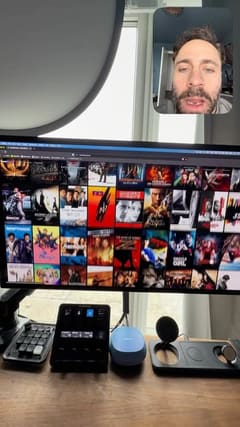
TechMaxxing Episode 5: you don’t need 20 AI tools. These are the four I use every day to study, run my business and create content: Claude with my context system, Claude Code and Codex for coding, Notion to see everything and Wispr Flow to speed it all up. Follow along for more!
How to change the way you use AI in one weekend: 1) stop prompting 2) stop typing 3) stop using a computer screen Steps 2 and 3 are why Codex is my daily driver. My team broke down Codex vs Claude Code in a free workshop this week, and the free replay is now up. Follow and comment WINNER and I'll send you the link to watch 📝
Here’s a LinkedIn B2B sales hack you need to book more calls 👀 If you’re doing outbound, don’t let your warm leads sit in your inbox. Research from InsideSales found that contacting a lead within 5 minutes vs. 30 minutes made you 21x more likely to qualify that lead. That’s why I use Fireflies Talk to clear my LinkedIn replies faster. Hold the key → say your reply → let go → send. No typing. No copy-pasting. Just faster follow-ups while the lead is still warm. Some things are easier sai
Whether I’m sending work feedback, getting ready or noting down a video idea before bed, Wispr Flow has become my go-to as I go about my day! Saying things out loud is so much easier than typing and fixing every sentence along the way. Comment “Aevy” and I’ll DM you the link, so you can try it yourself.
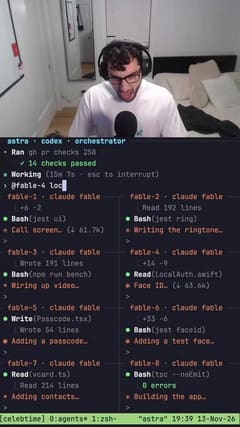
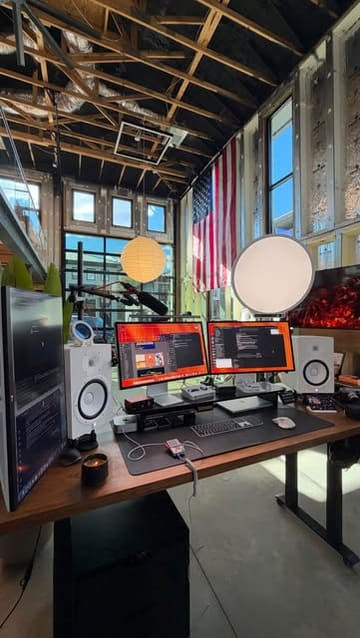
My setup is now dialed for peak productivity in the new age of building. One workspace for me, one for my agents, almost entirely ran by voice. Here’s the rundown. My main workspace is powered by an M5 Max MacBook Pro with dual Apple Studio Displays. One XDR, one regular, both nano texture. I realized that I was running a lot of computer use processes as part of my workflow. The problem with computer use is that it can be distracting or disruptive not your workflow. So I added a secondary w
Data and Cybersecurity expert @jessramosdata and @cyberjasbytes talk about their AI fail moments 😅 ↳ API keys pasted straight into a chat (BIG no no) ↳ @wisprflow picked up Desperate Housewives dialogue mid-dictation and mixed it into the prompt which created a crazy output lol ↳ A recipe that lost HALF its ingredients before the cake even went in the oven ↳ AI-maxxed so hard for LinkedIn posts and newsletters that they lost their own voice for MONTHS This just shows the data and context you
Comment “KLINT” and I’ll send you the influencer recruiting tool I use to scale creator ad programs 👇 Wispr Flow went from $0 to a $2B valuation, and their paid ads program is one of the most aggressive in tech: → 700 new video ads every month → Made by just 50 creators → Running on Meta, TikTok, and AppLovin The secret is how they pay creators. Most brands pay a flat fee per video, whether the ad works or not. Wispr pays creators 7% of the ad spend behind each video through a platform calle
The switch you can make TODAY: stop typing, start talking. Claude (or any agent) is only as good as the context you give it. And talking let's you braindump to it. I've tried out many different dictation tools but stuck with Typeless. Here's why: 1/ it just gets it right: proper nouns and technical terms included (you can add you're own words to the dictionary, but it will also autodetect them) 2/ it structures your braindump cleanly: your stream of thought comes out as clean paragraphs and l
Your iPhone Duo can run your actual Mac. Not an emulator. Everyone’s turning the Duo into a mini PC, but most of those videos are emulators. This is my real Mac running on the Duo through Jump Desktop. It works with a Mac mini, a MacBook or a Mac Studio. Why I use Jump: • Fluid, its own protocol, at up to 120 fps on the Duo • No router setup and no open ports • Encrypted, and you pay once (US$14.99 / A$22.99), no subscription • Single Virtual Display makes your Mac draw a screen that matches t
I built a digital library just by thinking out loud with Wispr Flow. Turns out my ideas flow more freely when I can talk them through without stopping to type. If you also wanna build yours, comment “AEVY” and I’ll send you the prompts along with the link to try Wispr Flow.
ok so I barely type anymore 🙈 I just talk to my laptop and it writes everything down for me. captions, emails, even my messages to Claude. my hands are free, my thoughts come out faster, and I don’t fight with typos 😭 want the app? comment KEYBOARD 🎹
I stopped typing my prompts. I say them, and Fireflies Talk types them. I hold the Fn key, I say the whole thing, and I let go. The prompt lands in my terminal with the ums removed and the punctuation already in place 🔥 It works the same way in my email, in Slack and in any other app. I ramble through the reply and a clean, formatted email shows up. Some things are easier said than typed. I dictated this with Fireflies Talk. It’s unlimited and free on every plan. Comment “Talk” and I will se
We need a name for our app. Help us! We built an app. You press a button, you talk, and you get your transcript as fast as possible. There are 2 versions: Free: it does everything the paid dictation apps do. Paid (optional): extra features so you can customise it. Think of it as a way to support the channel. The price stays low. The problem: someone already has the name Yapster. We asked Claude, friends, and friends of friends. Now we ask you. What do we call it? Put your name idea in the c
This is my engineer with 10 years of experience. And this is our security guard, who has never written a line of code in his life. Can someone who’s never coded, but has the best vibe coding tools, beat an engineer using the old methods? The guard can’t type, so we installed @wisprflow and told him to just talk. He described what he wanted in his own words, and Wispr Flow turned it into clean, usable prompts. If you can explain an idea out loud, you can now build with it. The tools have gotte
If you’re a Type B person with Type A goals, these are my non-negotiable ✨messy ambitionist ✨rules for still doing it all. And comment FLOW to try Wispr Flow pro for free for a whole month with unlimited words 👇
Comment Flow, and get 3-month free Pro subscription for @wisprflowindia and get things done 3x faster. I’ll DM you the promo code and the steps on how to redeem the trial. . . .
Comment “Stack” and I’ll send you my full AI stack 👇 Future or Finished. Ranking every AI tool. ChatGPT Work. Future. Beginner friendly and you can build full autonomous agents right inside of it that actually get stuff done for you. Canva. Finished. At least on the AI side, but it’s still one of my favorite tools. Higgsfield. Future. Every creative model lives right inside of it, and you can plug it straight into Claude through their MCP to make videos, images, UGC ads, product ads and slid
Comment “Cheat Code” and I’ll send you my AI stack 👇 The best AI tool for every job right now. Emails: Claude, with a skill that tells it exactly how I write Image generation: GPT Image 2 (Nano Banana Pro is really good too), and I use both inside Higgsfield Video generation: Higgsfield, with all the top models like Seedance 2.0 and Kling in one place Building apps: Lovable, the most beginner-friendly one, and what I use for my own website Typing: Wispr Flow. I just talk, it types, and it’
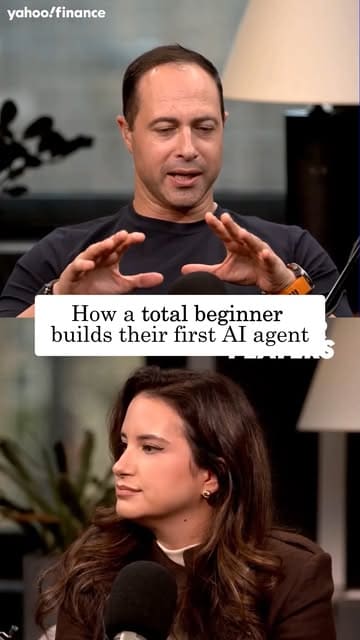
If I woke up brand new to AI tomorrow, and wanted to build my first agent by Friday here's exactly what I would do. I was on @yahoofinance's Power Players last week, where Brian Sozzi asked how a total beginner (his mom, specifically) would build their first AI agent. The mistake a lot of us make in the beginning is treating the first prompt like a spec, an agent that runs at 9:17 every morning and summarizes the calendar. For most people, the better move is to open Claude Code or ChatGPT, swi
 BBrand
 Granola

 Wispr Flow

 Claude

 OpenAI

 Fireflies Talk




 Typeless

 Jump Desktop

 turbopuffer







 Higgsfield